Choose a color theme
GitHub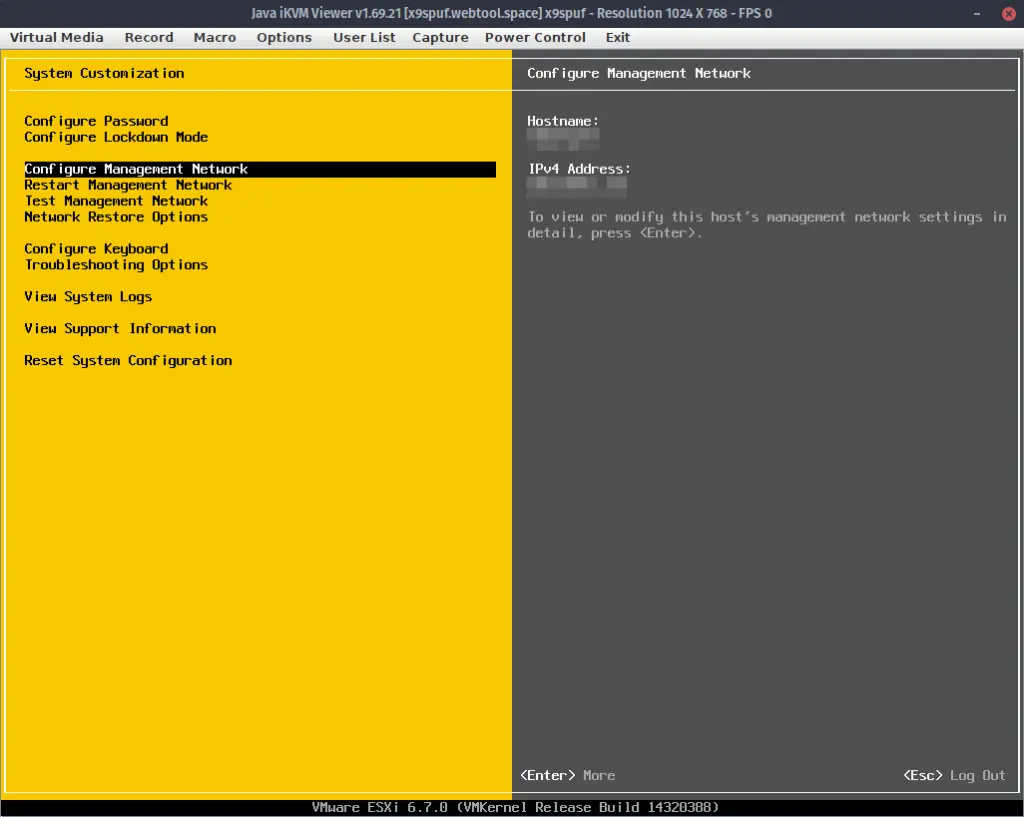
I've noticed this a couple times in the last week - I had an iKVM window open on my Supermicro host, trying to control the ESXi DCUI, and the menu wouldn't stay open. It's very frustrating.
I don't have a physical monitor hooked up to any of my hosts, so this is a pretty important thing to have working in the event I need to change a setting only available on the "physical" host's menu.
So, in case you landed on this page because you're trying to figure out how to fix the same issue, here's what I discovered:
Say you have two ways to interface with the IPMI firmware - like, iced-tea javaws and Supermicro's IPMIview:
text
$ ls /opt/IPMIView_2.17.0_200505

account.properties  IPMIView20_User_Guide.pdf           libSharedLibrary64.so
BMCSecurity         IPMIView_MicroBlade_User_Guide.pdf  libSharedLibrary_v11_32.so
email.properties    IPMIView.properties                 libSharedLibrary_v11_64.jnilib
iKVM                IPMIView_SuperBlade_User_Guide.pdf  libSharedLibrary_v11_64.so
iKVM32.dll          jre                                 PMingLiU-02.ttf
iKVM64.dll          JViewerX9                           ReleaseNotes.txt
iKVM.jar            JViewerX9.jar                       SharedLibrary32.dll
iKVM.lax            JViewerX9.lax                       SharedLibrary64.dll
iKVMMicroBlade.jar  lax.jar                             SharedLibrary_v11_32.dll
iKVM_precheck.jar   libiKVM32.so                        SharedLibrary_v11_64.dll
iKVM.properties     libiKVM64.jnilib                    sort.properties
iKVM_ssl.jar        libiKVM64.so                        stunnel.properties
iKVM_v11_32.dll     libiKVM_v11_32.so                   timeout.properties
iKVM_v11_64.dll     libiKVM_v11_64.jnilib               TrapReceiver
IPMIView20          libiKVM_v11_64.so                   TrapReceiver.lax
IPMIView20.jar      libSharedLibrary32.so               TrapView.jar
IPMIView20.lax      libSharedLibrary64.jnilib
-- VS --
text
 $ javaws launch.jnlp

selected jre: /usr/lib/jvm/default-java
Codebase matches codebase manifest attribute, and application is signed. Continuing. See: http://docs.oracle.com/javase/7/docs/technotes/guides/jweb/security/no_redeploy.html for details.
Starting application [tw.com.aten.ikvm.KVMMain] ...
Buf size:425984
a singal 17 is raised
doris getscreen ui lang
doris 0 0
The first time this happened, I am pretty sure it's because another instance of the iKVM window was open (I was unwittingly trying to use a 2nd iKVM - for example, launching launch.jnlp with IcedTea when an IPMIview instance is open - windows get lost sometimes!). This presumably could happen between using two separate remote machines at once, although I cannot confirm from experience.
The menus won't stay open. It launches, it looks like it should work, but none of the menus will open and none of the keys will respond.
The second time this happened to me, there was no explaination - no other open instances. So I'm here to say:
Just reset your IPMI.
To do that, go to the IPMI's web portal, log in, and navigate to Maintenance --> iKVM Reset.
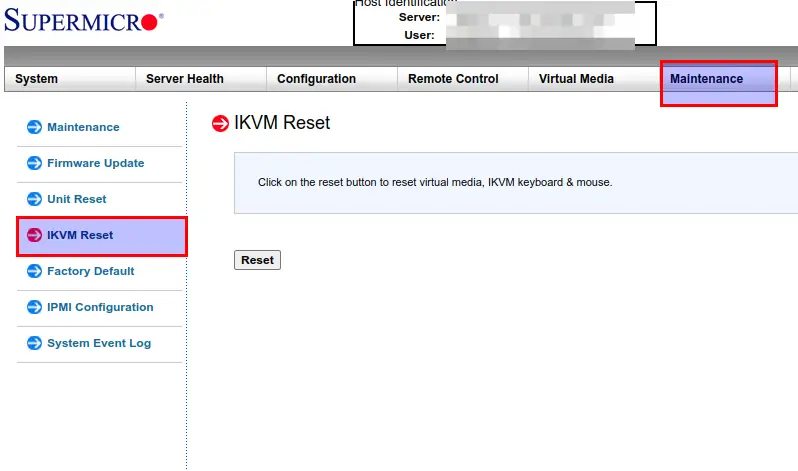
Getting your IPMI iKVM menus to open again...
Then if there was any instance that wasn't terminated properly, it will terminate them and allow your menus to work again - which is why I think the 2nd time it wasn't working, since there was no other instances open at the time.
Best wishes!